Services
We Deliver End-to-End Android App Solutions
Android App Development involves designing and building powerful mobile applications for devices powered by the Android operating system, including smartphones, tablets, smart TVs, wearable devices, and more. Our team creates fast, secure, and user-friendly Android apps tailored to your business goals, ensuring seamless performance across multiple screen sizes and devices.
Our Services
Mobile App Design
Development
Marketing
Social Media
eCommerce
Help & Support
User Testing
Conduct usability tests with real users
Use tools like Maze, UsabilityHub, or manual testing
Collect feedback on:
Ease of navigation
Visual appeal
Confusing areas
Best Practices in Mobile App Design
Keep it simple and intuitive
Design for thumb zones (important buttons near the bottom)
Ensure responsive layouts (different screen sizes)
Prioritize speed (avoid heavy images or complex animations)
Stick to native design principles (e.g., Android = Material Design)
Mobile App Design Deliverables
A designer typically hands off the following to developers:
High-fidelity mockups (Figma, Adobe XD)
Design specifications (padding, font sizes, colors)
Assets (icons, illustrations, images)
Prototypes
Design system (optional but recommended)
Tools & Platforms
| Purpose | Tool |
|---|---|
| UI/UX Design | Figma, Sketch, Adobe XD |
| Prototyping | InVision, Proto.io |
| Collaboration | Zeplin, Figma (dev mode) |
| Icons | Material Icons, Font Awesome |
| Illustrations | unDraw, Blush, LottieFiles (for animations) |
Looking For Printer Solutions?
Printer Installation & Configuration
- Connect the printer to a power point
- Connect the printer to a computer/laptop (via USB, Ethernet, WLAN)
- Control panel > devices and printers > find printer
- If no suitable driver is found, an up to date printer driver must be downloaded from the manufacturer’s website
- Individual settings can be selected under printer settings (control panel)
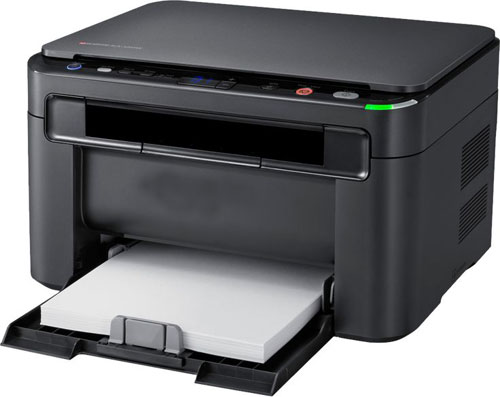
How to install Printer Software
As soon as a printer is connected to a computer or laptop, the operating system should recognize it as new hardware device and issue a corresponding message. Modern software such as Windows 10 automatically selects and downloades suitable drivers using the installation wizard. In this case, users only have to follow the instructions of the wizard and the printer can be installed within a few minutes. Older printer models and operating systems may not find a suitable driver, but this is by no means a reason to panic. A newly purchased printer usually comes with an installation disc with an up to date printer driver which can be installed manually. If the printer is a second hand device with missing drivers, a quick search on the Internet can help. Most printer manufacturers offer free driver downloads on their websites.
Comprehensive Printer Services for Every Need